
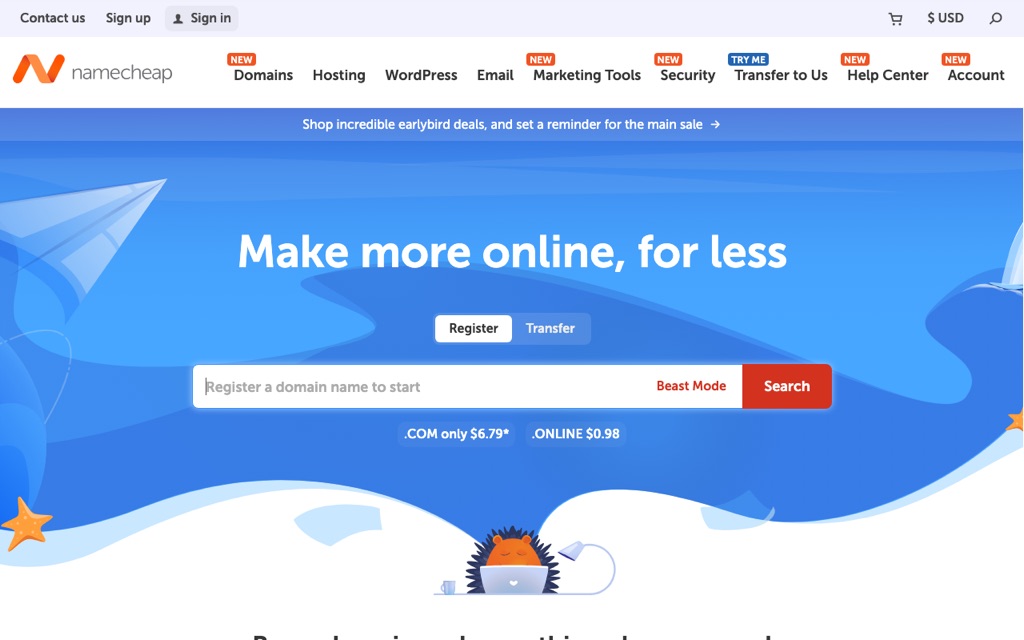
I'm Bruce, and I've been buying domains, breaking websites, and fixing them again since around 2020 — the same year a string of bad calls cost me well over six figures. So when I tell you that picking the wrong domain registrar is one of the easiest ways for a beginner to get quietly ripped off, I'm not theorizing. I learned it the expensive way.
Here's how it started. Early on, I paid someone to build a site for me, and they registered my domain on some platform I couldn't even navigate. The first year was cheap, so I didn't think twice. Then renewal time came, the invoice landed in my inbox, and the price had roughly tripled. That moment is exactly why I went deep on how domain registrars actually price things — and why I wrote this Namecheap vs GoDaddy comparison the way I wish someone had written it for me.
What you'll get out of this article: why most beginners end up choosing Namecheap over the more famous GoDaddy, the real first-year vs renewal pricing (including GoDaddy's "surprise" year-two jump), how the two handle WHOIS privacy, what the checkout upsells actually look like, how to pick the right domain extension (.com vs country codes), and a clean step-by-step for transferring a domain from GoDaddy to Namecheap.
The short answer: why most people end up with Namecheap
If you're a beginner, a freelancer, a small business owner, or just someone who hates overpaying, I recommend Namecheap for three honest reasons:
- Transparent, reasonable renewal pricing. GoDaddy's reputation is "cheap first year, painful surprise later." Namecheap keeps its renewal rates sane and predictable.
- Free WHOIS privacy, for life. Namecheap turns it on for you at no cost. GoDaddy technically offers free basic protection now, but it constantly nudges you toward paid upgrades.
- A clean checkout with no aggressive upselling. GoDaddy's cart feels like a high-pressure sales funnel with boxes pre-ticked. Namecheap's checkout just lets you buy the domain and move on.
Think of a domain registrar like a landlord. Offering you a "free first month" as bait is easy. What actually matters is how much you pay every single year once you've moved in and you're not going anywhere.
That landlord analogy is the whole game. The first-year price is marketing. The renewal price is reality. Let me show you the numbers.
Price comparison: year one vs the renewal reality
This is the table I wish I'd seen before that tripled invoice. Prices fluctuate with promos and TLD, so treat these as realistic ranges (in USD) rather than exact quotes — but the pattern is the part that matters.
| Item | Namecheap | GoDaddy |
|---|---|---|
| .com first year | ~$6.49–$11 | ~$4.99–$6.99 (promo) |
| .com renewal (year 2+) | ~$12.98–$14.98 / year | ~$21.99 / year |
| WHOIS privacy | Free, forever | Free basic; paid upgrades pushed |
| Renewal price change | Predictable, moderate | Nearly doubles after year one |
Notice what happens over time. GoDaddy can absolutely win the first-year headline — a sub-$5 .com looks great. But run the math across a few years and the picture flips. Here's a rough three-year total cost of ownership:
- Namecheap: roughly $37 over three years
- GoDaddy: roughly $49 over three years
And that's before you factor in WHOIS privacy, which Namecheap throws in free and GoDaddy will happily try to upsell you on. The "cheaper" registrar in year one is usually the more expensive one by year three.
Bruce's warning: the second you see "$0.99 first year" or "first year free," do not get excited. Move your cursor to the tiny gray text next to the price and find the "Renews at" line. That number — not the promo — is what you'll actually pay for years. I ignored that line once. I'm still annoyed about it.
Free WHOIS privacy: protecting your personal data
What is WHOIS privacy, and why should you care?
When you register a domain, your name, mailing address, email, and phone number get listed in the public WHOIS database by default. Anyone — spammers, scammers, that one persistent salesperson — can look it up. WHOIS privacy protection swaps your real details for proxy information so the public sees a placeholder instead of your home address.
For a small business owner or a solo founder registering a domain from your kitchen table, this matters a lot. You do not want your personal phone number sitting in a globally searchable database.
How the two compare
- Namecheap: free lifetime WHOIS privacy on eligible domains, switched on automatically. You don't have to think about it, and you don't pay extra.
- GoDaddy: as of 2026 it does include a free basic protection tier (a genuine improvement), but the experience is wrapped in constant prompts to upgrade to paid privacy plans, typically in the $9.99–$29.99/year range.
The real difference isn't "free vs paid" anymore — it's the posture. Namecheap protects you by default and gets out of your way. GoDaddy protects you while continuously asking if you'd like to pay for more protection. Over a few domains and a few years, that nickel-and-diming adds up.
Interface and the upselling experience
This is where the personalities of the two companies really show, and it's the part beginners underestimate the most.
GoDaddy feels like a supermarket checkout lane. You came in for one domain, and suddenly you're being offered email hosting, an SSL certificate, a website builder, "professional" privacy, and three other things — several with the boxes already ticked. If you're new and just clicking "next, next, pay," it's genuinely easy to walk out having spent ten times what you intended. I've watched first-timers budget for a $12 domain and somehow leave with a $120 order.
Namecheap feels like grabbing one item at a convenience store. The add-ons are there if you want them, but they're presented honestly, nothing's pre-checked to trick you, and the path from "I want this domain" to "I've paid" is short and clear. The back-end dashboard is just as intuitive — DNS settings, renewals, and transfers are all where you'd expect them.
Beginner tip: no matter which registrar you use, before you hit pay, scan every single line in your cart. Uncheck anything you didn't deliberately choose. For most people starting out, you only need two things: the domain itself, and the free privacy protection. Everything else can wait — or wait forever.
Domain transfers: lock-in vs freedom
One day you may want to move a domain to a different registrar — maybe for better pricing, maybe just to consolidate everything in one account. On paper, both companies follow the same standard process: unlock the domain, grab the Auth Code (also called the EPP code), and enter it at the new registrar. In practice, the friction is very different.
- Namecheap: the transfer interface is clean and the process is straightforward. Moving a domain in (or out) is about as painless as this stuff gets.
- GoDaddy: there are hidden snags. You generally can't transfer a domain out while privacy protection is still enabled, and if you change the registrant's name, company, or email, you can trigger a 60-day transfer lock.
The pattern I keep seeing: it's easy to bring a domain into GoDaddy and noticeably more annoying to take one out. That's not an accident. Easy in, sticky out is a classic retention tactic — and it's one more reason I lean Namecheap for people who value flexibility.
Which domain extension should you actually buy?
Before you obsess over registrars, decide what you're buying. The extension (the part after the dot) shapes how trustworthy and memorable your site feels. Here's how I'd think about it for an international audience.
| Your situation | Recommended extension | Why |
|---|---|---|
| Global business, or you just want the safest universal choice | .com | The most trusted and recognizable extension worldwide; easiest for people to remember and type. |
| You're targeting one country and want local credibility | Country code (e.g. .co.uk, .de, .ca, .com.au) | Signals "we're local" to that market and can build regional trust. |
| You're a tech/startup brand and the .com is taken | .io, .co, .app, .dev | Widely accepted alternatives, but confirm your registrar supports the one you want and check the renewal price — some niche TLDs are pricey. |
My practical recommendations:
- For most people: start with .com. It's universal, it holds its value, and you'll never have to explain it.
- If you care about a local market and have a little budget: buy both — your .com as the primary, plus the relevant country-code domain to protect your brand and catch local searchers.
- Important: before you fall in love with a fancy extension, confirm your registrar actually supports it and check what it renews at. A cheap first-year .io that renews at $40 is not a bargain.
How to transfer a domain from GoDaddy to Namecheap (step by step)
If you're already on GoDaddy and the renewal math has you reconsidering, here's the exact process. It's less scary than it looks.
- Confirm the domain is at least 60 days old. This is an ICANN rule worldwide — you can't transfer a brand-new registration.
- Log into GoDaddy and turn off the domain lock. It's usually labeled "Domain lock" or "Transfer lock" in the domain settings.
- Get your Auth Code (EPP code) from the "Transfer to another registrar" section.
- Disable GoDaddy's privacy protection before transferring. This is the single most common reason transfers fail or stall — privacy on means the transfer often won't go through.
- Do NOT change the registrant info during the transfer. Editing the name, company, or email can trigger that 60-day lock and ruin your timing.
- Start the transfer at Namecheap by entering the domain name and the Auth Code.
- Go back to GoDaddy to approve the transfer. If you accept manually it's usually done within about 15 minutes; if you do nothing, it auto-completes in roughly 5–7 days.
Bruce's tip: your website and email keep working throughout the transfer — nothing goes dark as long as your DNS records stay the same. The number one thing people forget is disabling privacy protection at GoDaddy first. Do that one step and you'll avoid 90% of the headaches.
If you want a more detailed walkthrough of getting set up on Namecheap from scratch, I've written a full guide here: Namecheap domain tutorial.
The honest bottom line
Let me be fair to both sides, because I don't think GoDaddy is a scam — it's just optimized differently than I'd want as a budget-minded beginner.
GoDaddy wins on brand recognition. It's the name everyone's heard, the support footprint is huge, and for some people that familiarity is worth paying for. If brand trust and "I've heard of these guys" matters most to you, it's a defensible pick.
Namecheap wins on actual value. Lower long-term cost, free WHOIS privacy by default, a checkout that doesn't try to trap you, and transfers that don't fight you on the way out. For cost-conscious beginners and small businesses, those things matter far more than whose logo is bigger.
If I were starting over today — knowing what that tripled renewal invoice felt like — I'd register on Namecheap, turn on the free privacy protection, and spend the money I saved on actually building the site. That's the whole point: your domain is the cheap part. Don't let it quietly become the expensive part.
Pick your name, lock in a price you can live with for years — not just one — and get building. That's the move I'd make every time.